Posted in
Windows Powershell |
1 Comment | 5,186 views | 24/10/2009 15:19
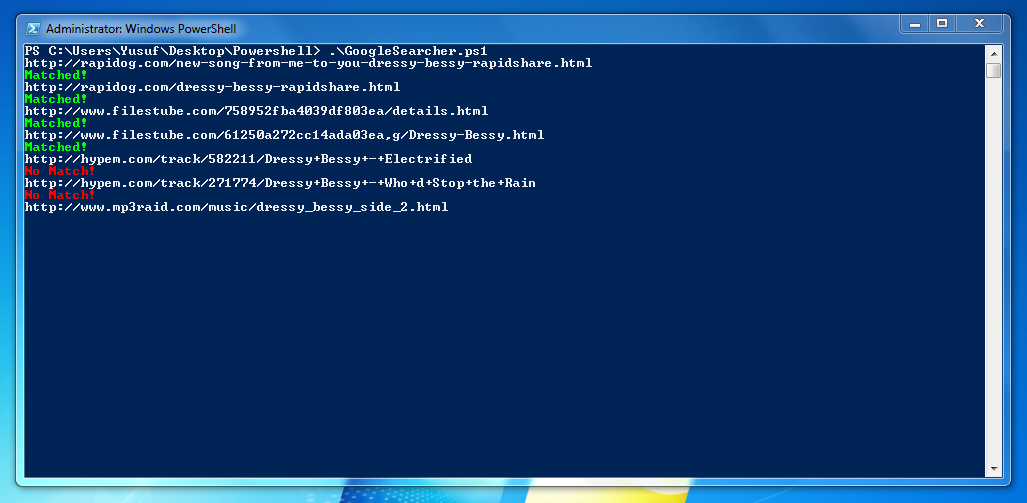
Could you imagine what can you do with Powershell? I imagined to create a search engine with Powershell. I used Google for Search and filtered results. Looking codes would be helpful you to have an idea about Google Parsing.
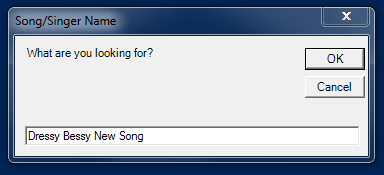
I search for Dressy Bessy – New Song:
Did it match with Keywords?
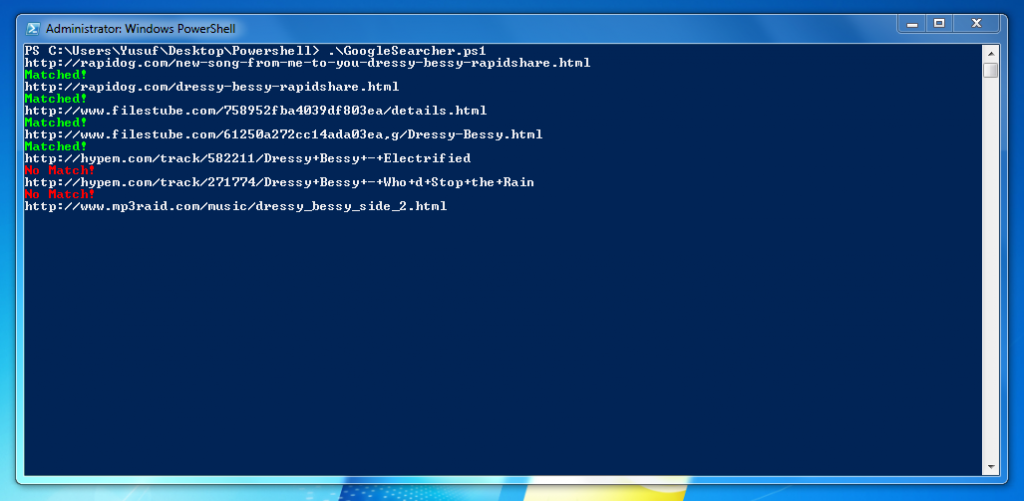
You can see my Powershell script. Default search is a Turkish Music Group “Gece” and their Album “Icinde Sakli”. You can change default search parameters from script. Also adding more Google page would be increase accurate.
Preview of Script:
####################################
# Google Parser + Mp3 Searcher #
# Coded By Yusuf Ozturk #
# http://www.yusufozturk.info #
####################################
[void][System.Reflection.Assembly]::LoadWithPartialName('Microsoft.VisualBasic')
# Search Input
$SearchInput = [Microsoft.VisualBasic.Interaction]::InputBox("Search", "Song", " ")
# Split to Keywords
$Keyword = $SearchInput -Replace "\s","+" # For searching
$Keyword = $Keyword + "+rapidshare.com+mp3" # Look for Rapidshare Links
$Keywords = $Keyword.Split("+") # For checking purposes
# Where Could We Write?
$Location = "C:\Search"
# Lets Check Location Directory
If ((Test-Path -Path $Location) -ne $True)
{
New-Item $Location -Type Directory
}
# Search Outputs
$Search = "$Location\Search.txt"
$Results = "$Location\Results.txt"
$Temp = "$Location\Temp.txt"
# Lets Make Google Search
$Url = "http://www.google.com.tr/search?hl=tr&source=hp&q=" + $Keyword + "&start=0"
$Webclient = New-Object System.Net.WebClient
$Webpage = $Webclient.DownloadString($Url)
$Webpage > "$Search"
$Url = "http://www.google.com.tr/search?hl=tr&source=hp&q=" + $Keyword + "&start=10"
$Webclient = New-Object System.Net.WebClient
$Webpage = $Webclient.DownloadString($Url)
$Webpage >> "$Search"
# Get Web Results and Parse Web Links
$Hostname = Select-String "$Search" -Pattern 'http://'
$Hostname = [Regex]::Matches($Hostname, '<a class="l')" href="([^">> "$Location\$ID.txt" |
####################################
# Google Parser + Mp3 Searcher #
# Coded By Yusuf Ozturk #
# http://www.yusufozturk.info #
####################################
[void][System.Reflection.Assembly]::LoadWithPartialName('Microsoft.VisualBasic')
# Search Input
$SearchInput = [Microsoft.VisualBasic.Interaction]::InputBox("Search", "Song", " ")
# Split to Keywords
$Keyword = $SearchInput -Replace "\s","+" # For searching
$Keyword = $Keyword + "+rapidshare.com+mp3" # Look for Rapidshare Links
$Keywords = $Keyword.Split("+") # For checking purposes
# Where Could We Write?
$Location = "C:\Search"
# Lets Check Location Directory
If ((Test-Path -Path $Location) -ne $True)
{
New-Item $Location -Type Directory
}
# Search Outputs
$Search = "$Location\Search.txt"
$Results = "$Location\Results.txt"
$Temp = "$Location\Temp.txt"
# Lets Make Google Search
$Url = "http://www.google.com.tr/search?hl=tr&source=hp&q=" + $Keyword + "&start=0"
$Webclient = New-Object System.Net.WebClient
$Webpage = $Webclient.DownloadString($Url)
$Webpage > "$Search"
$Url = "http://www.google.com.tr/search?hl=tr&source=hp&q=" + $Keyword + "&start=10"
$Webclient = New-Object System.Net.WebClient
$Webpage = $Webclient.DownloadString($Url)
$Webpage >> "$Search"
# Get Web Results and Parse Web Links
$Hostname = Select-String "$Search" -Pattern 'http://'
$Hostname = [Regex]::Matches($Hostname, '<a class="l')" href="([^">> "$Location\$ID.txt"
Download Google Parser Script
I used Google.com.tr to Search Mp3. I hope Google will get banned by ASCAP :D
As always: Go to Hell Google!
Please use Bing for a better future.


 home
home
 projects
 about
about
 contact
 follow
 feed
feed
 settings